Route changes and no signal
When dispatch changes your route
Dispatch can add a stop, take one away, or change the order while you drive. Your phone shows a blue card at the top of Today:
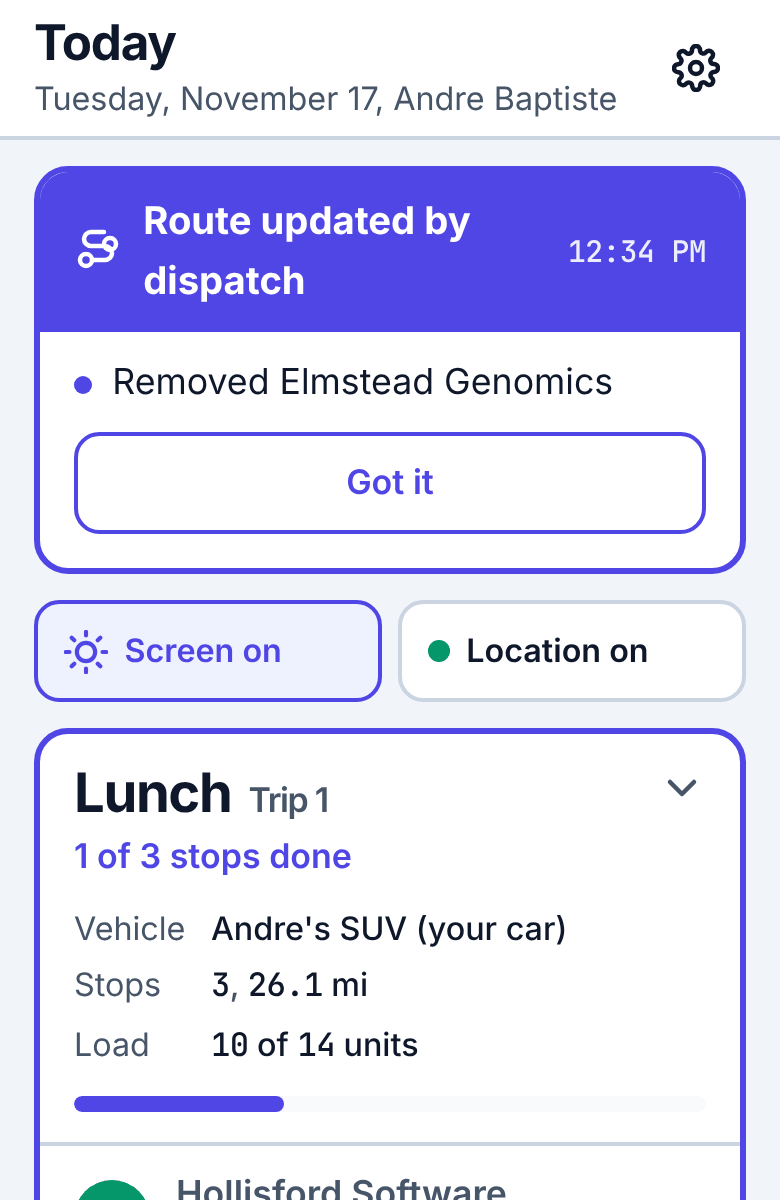
It lists exactly what changed and when: Added …, now stop 3, Removed …, Cancelled …, Stops in trip 1 are in a new order, New window for …, a new trip, or a trip taken off your day. Read it, then tap Got it. The list of stops and the main button already follow the new route.
If you open a stop that was taken off your route, the app says This stop is no longer on your route: dispatch may have given it to another driver. Tap Back to Today.
Working without signal
No signal? Keep working
Nothing is lost if the app is closed or the phone restarts. If dispatch changed a stop while you were offline and cannot accept an update, a red bar says Dispatch did not accept… with the reason: call dispatch.
Basements, loading docks and some office towers have no signal. Keep working as usual:
- Every tap (start, arrive, complete, can't deliver, back at kitchen) is saved on the phone first and sent when there is signal. A small message says Saved on this phone. Sends when you have signal.
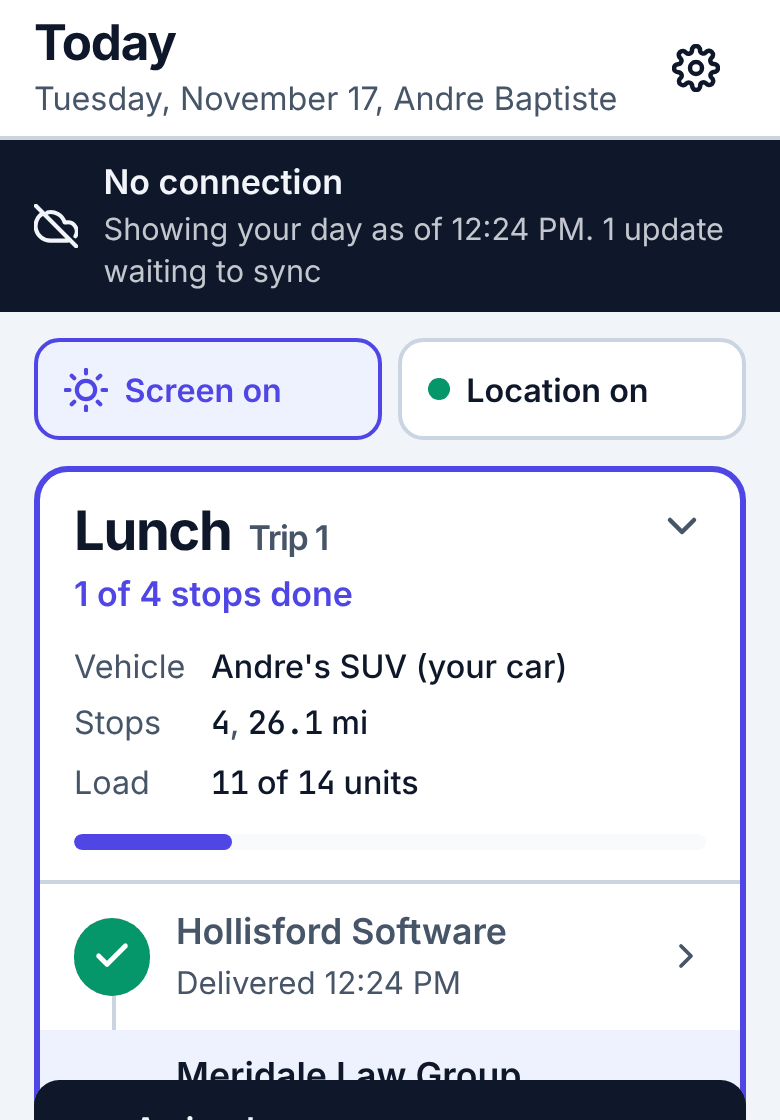
- A dark bar under the title says No connection, the time your day was last loaded, and how many updates are waiting to sync.
- Your positions are saved too and sent later.
- When the signal returns the updates go out by themselves, in the order you made them. A blue bar N updates waiting to sync with Send now appears if they have not gone yet.
Do not sign out while updates are waiting. If you must, the app warns you; the updates stay on the phone and are sent after the next sign-in.
A red bar: dispatch did not accept an update
If dispatch changed a stop while you were offline (for example gave it to another driver), your update for it may not fit any more. A red bar says Dispatch did not accept N updates with the reason. Call dispatch to sort it out, then tap OK.
If only a photo or signature could not be sent (the file was too large or of a kind the server does not accept), the delivery itself is still recorded and the bar says Saved, but not everything went through.