
Roster, drivers and vehicles
Click Drivers in the left-hand bar. Three tabs: the Shift roster for one day, the Drivers list and the Vehicles list.
The shift roster
The roster says who works on the day shown, when, and in which vehicle. Optimize uses exactly this list. Check it before you optimize, every day.
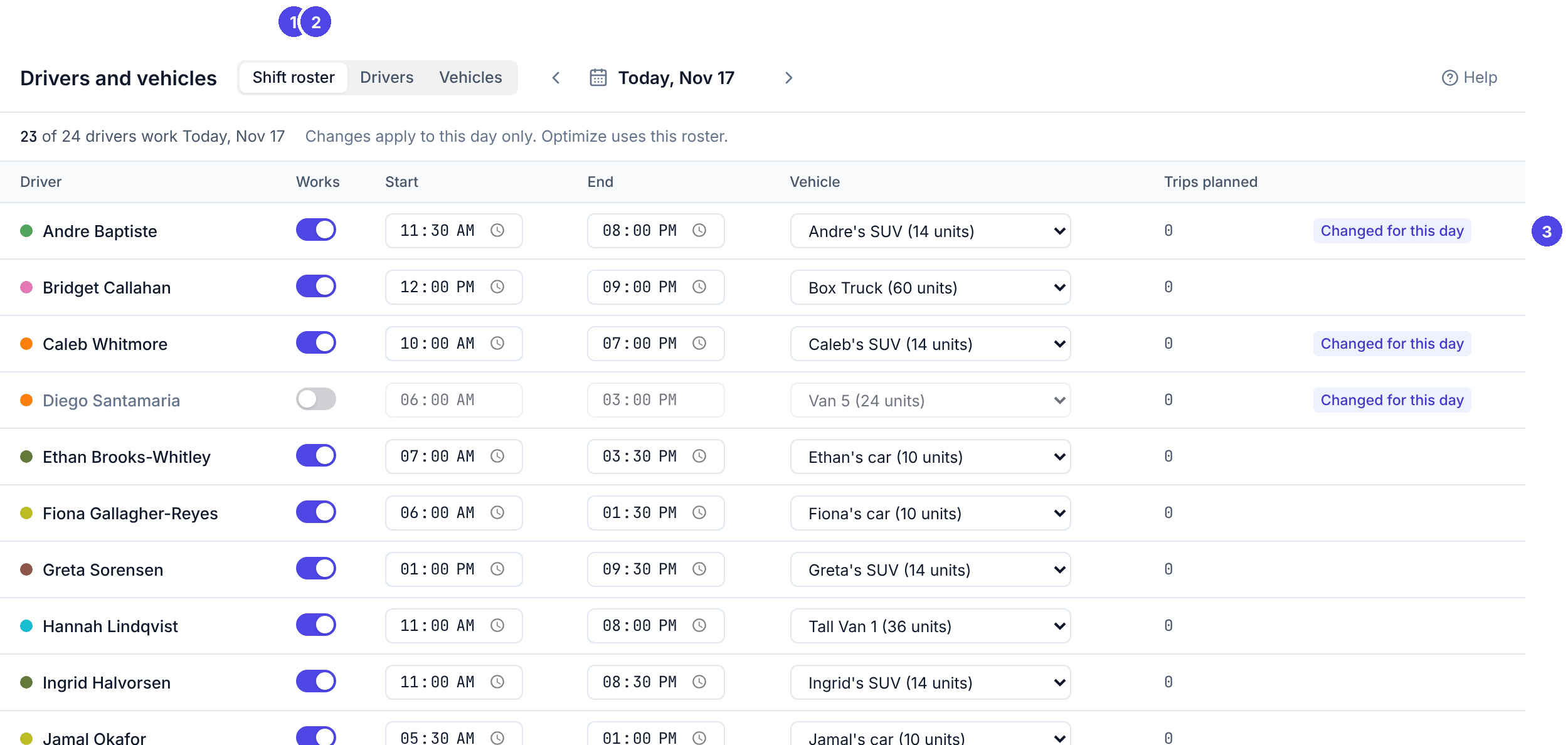
Each driver starts the day with their usual shift and vehicle. To change a day:
- Someone is off: turn off their Works switch. Optimize gives them no trips. A trip they already have is flagged Driver unavailable.
- Different hours: change Start or End. A shift must end after it starts.
- Different vehicle (the van is in the shop, a driver uses their own car): pick it under Vehicle.
Changes are saved as you make them and apply to this day only; the row then says Changed for this day. Trips planned counts the driver's trips on the plan. If the vehicle you pick is already used by another driver at the same time, the change is saved with the warning Vehicle double-booked: decide who takes it.
To plan the next day, move to it with the arrows: each day has its own roster.
Drivers
The Drivers tab lists everyone who drives: phone, usual shift, usual vehicle, skills, whether they can sign in to the driver app (PIN set or No PIN), and their hourly cost.
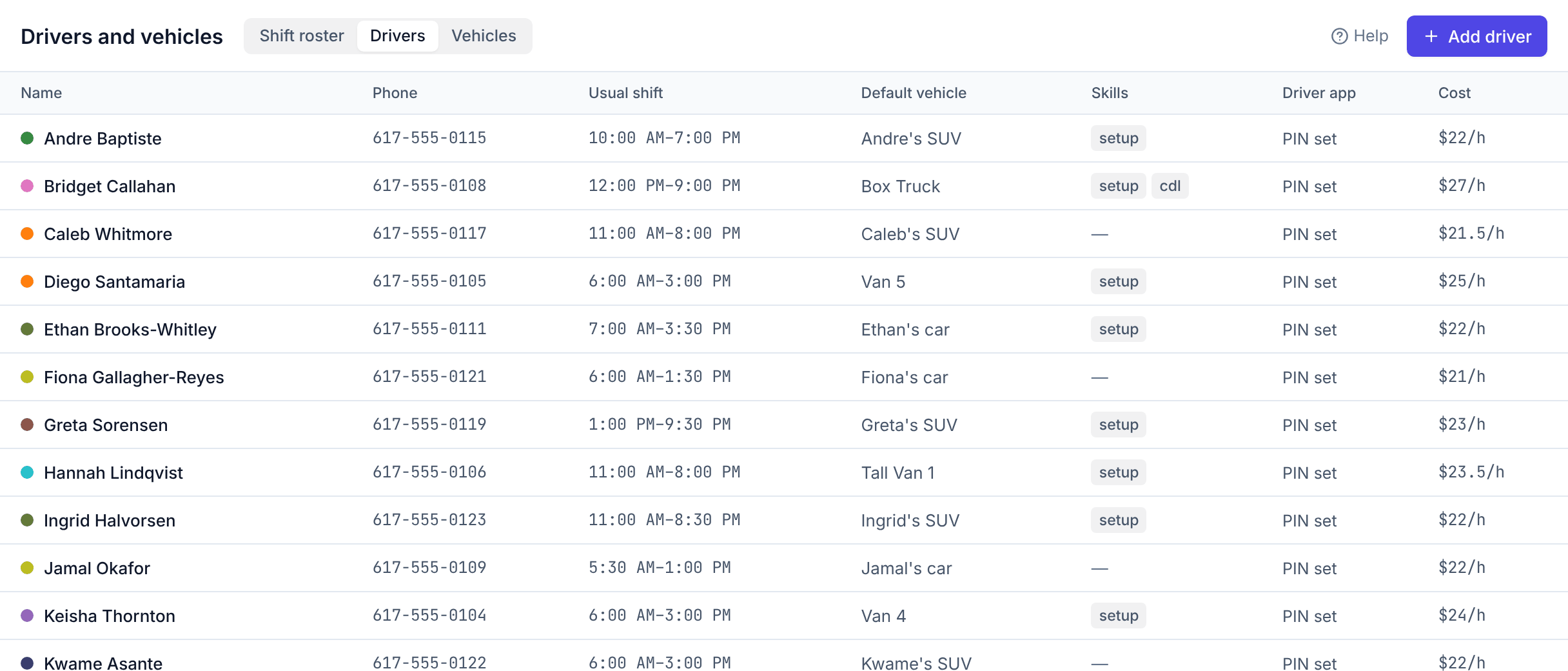
To add a driver, click Add driver. To change one, click their row.
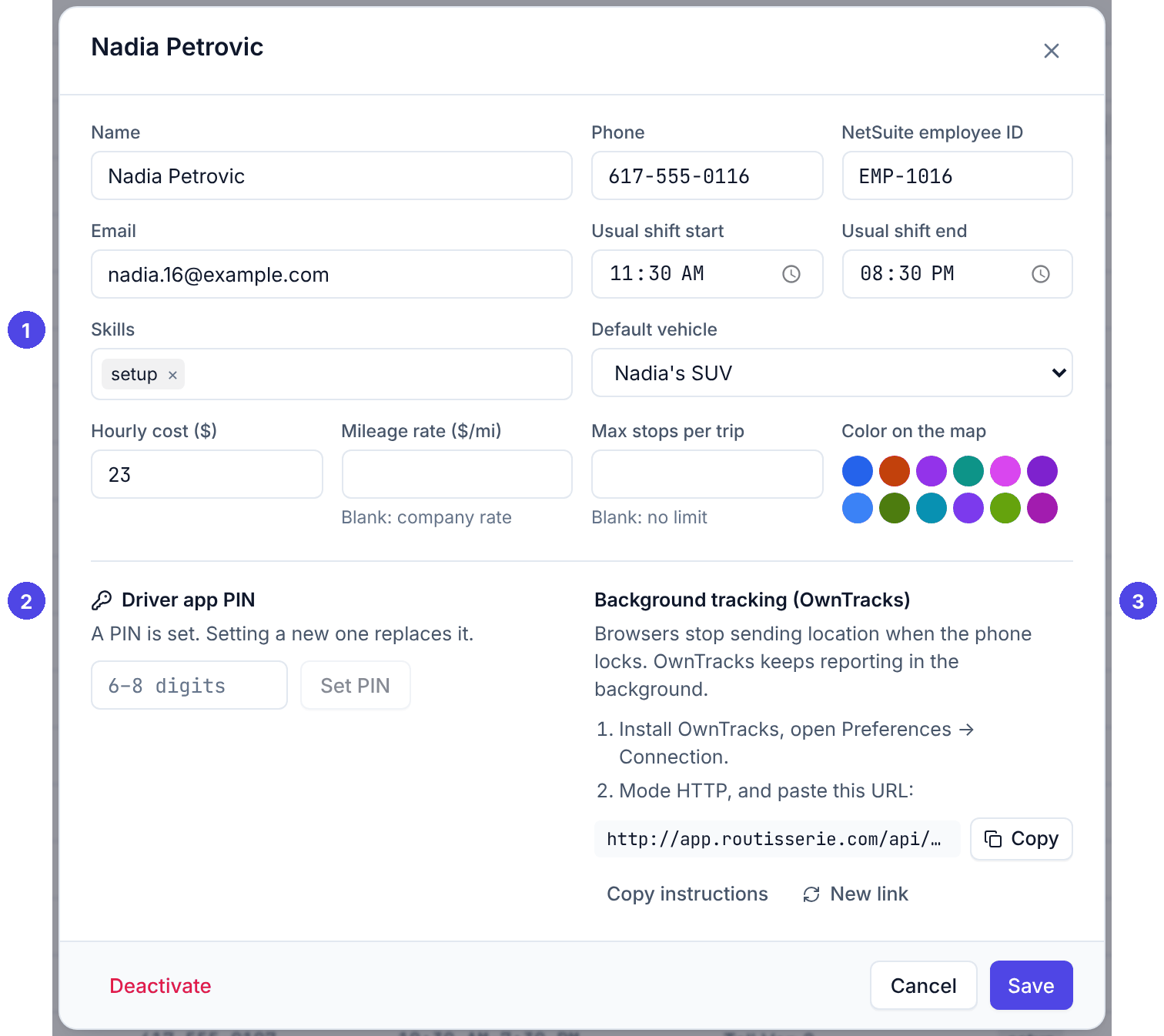
- Phone: the mobile number the driver signs in with. It must be right.
- NetSuite employee ID: written back to NetSuite with each assignment, and shown on the mileage report.
- Usual shift start / end and Default vehicle: what each day's roster starts from.
- Skills (1): what this driver can do, for example
setuporbadge_access. - Hourly cost, Mileage rate (blank uses the company rate for personal cars) and Max stops per trip (blank: no limit).
- Color on the map: the colour of the driver's trips.
- Driver app PIN (2): see Driver PINs. Without a PIN the driver cannot sign in.
- Background tracking (OwnTracks) (3): the driver's private tracking link. See Always-on tracking.
Deactivate (bottom left) removes a driver who has left: they stay on past reports but get no new trips.
Vehicles
The Vehicles tab lists company vans and trucks, and drivers' personal cars.
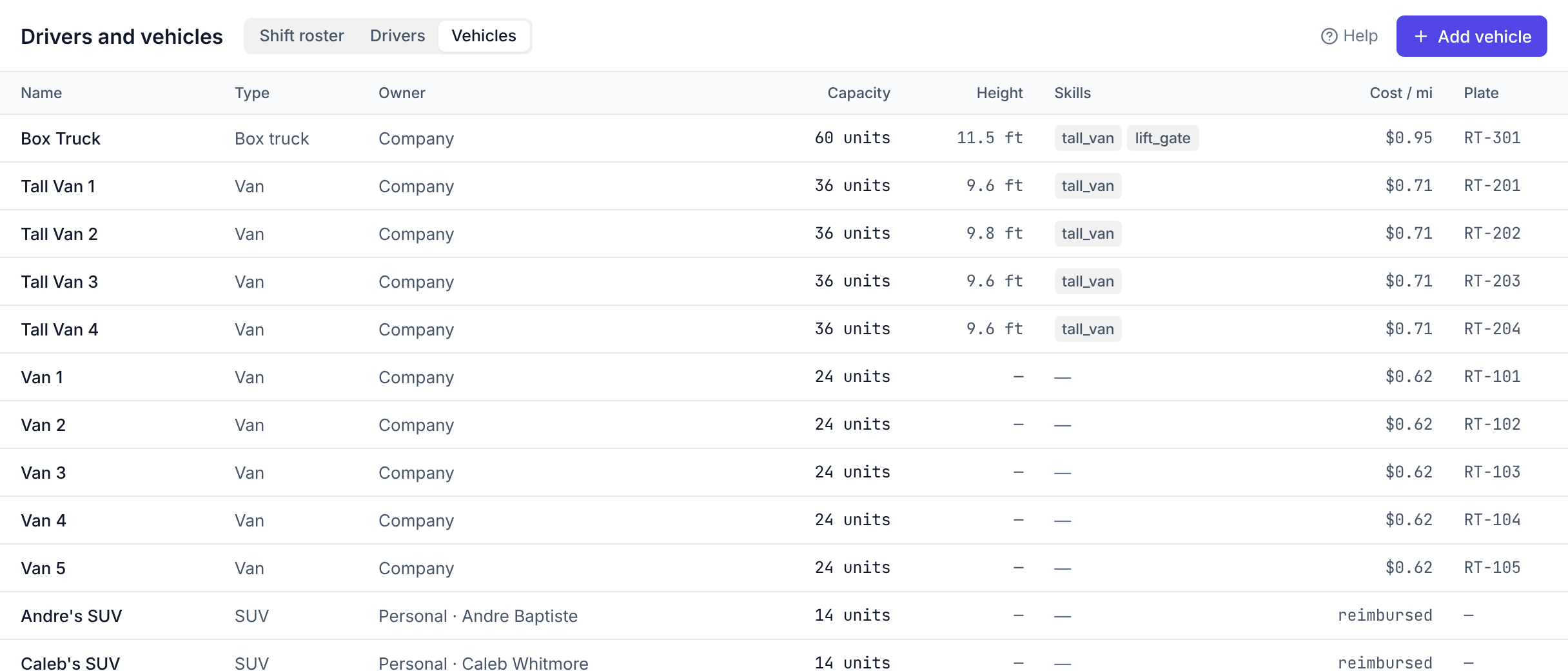
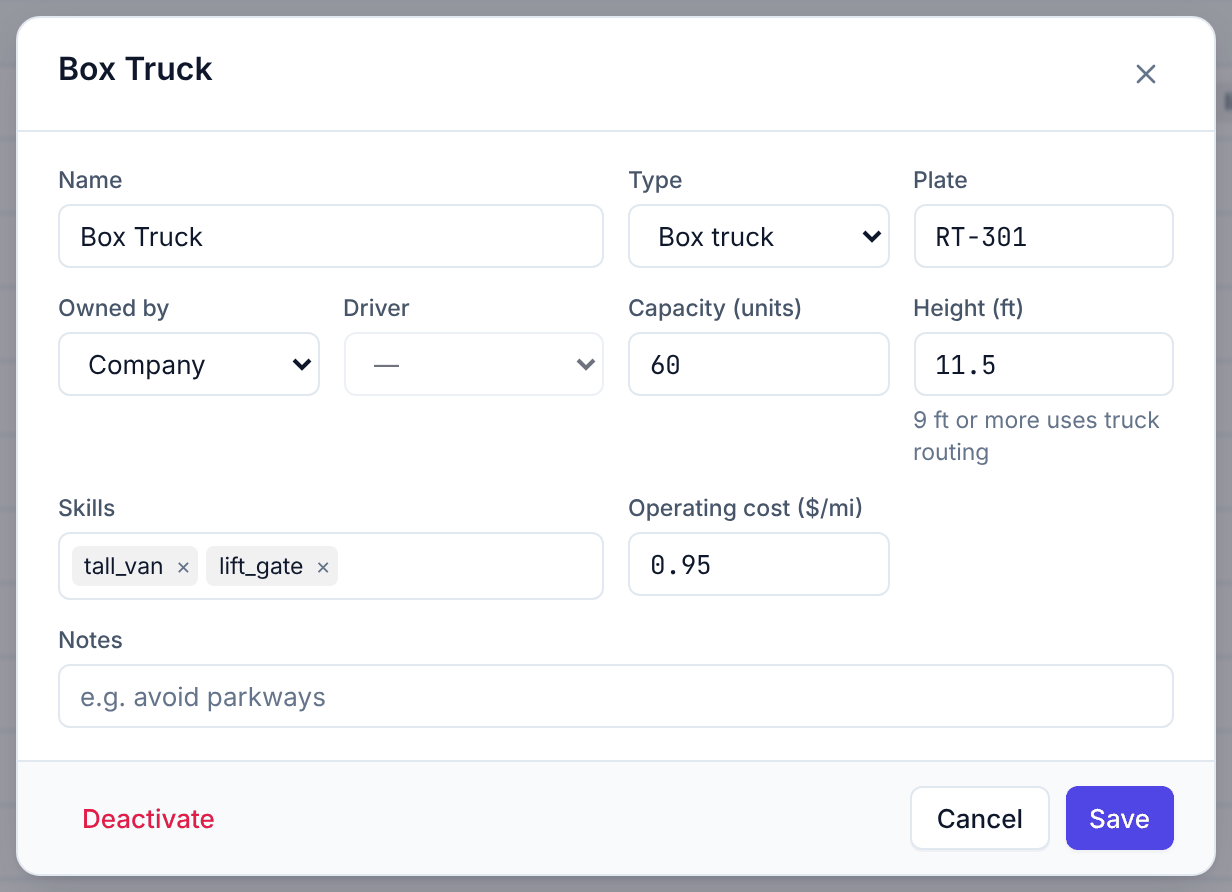
- Capacity (units): how much it carries (see Units). At least 1.
- Owned by: Company, or a driver's Personal car (mileage is then reimbursed to that driver).
- Height (ft): 9 ft or more plans truck-friendly routes (avoiding low bridges and parkways where the road map knows them).
- Skills: what the vehicle offers, for example
liftgate,refrigerated. - Operating cost ($/mi): used for the estimated cost of company vehicles.
- Notes: for people, for example avoid parkways.