
Publishing and route sheets
Until you publish, the plan is a draft only the office sees. Publishing hands it to the drivers and to NetSuite.
What Publish does
After publishing, every change you make (a move, a new trip, an applied suggestion) reaches the drivers and NetSuite straight away. A driver whose route changes sees Route updated by dispatch with what changed.
To publish the day
- Look at the totals and the Issues list one last time.
- Click Publish.
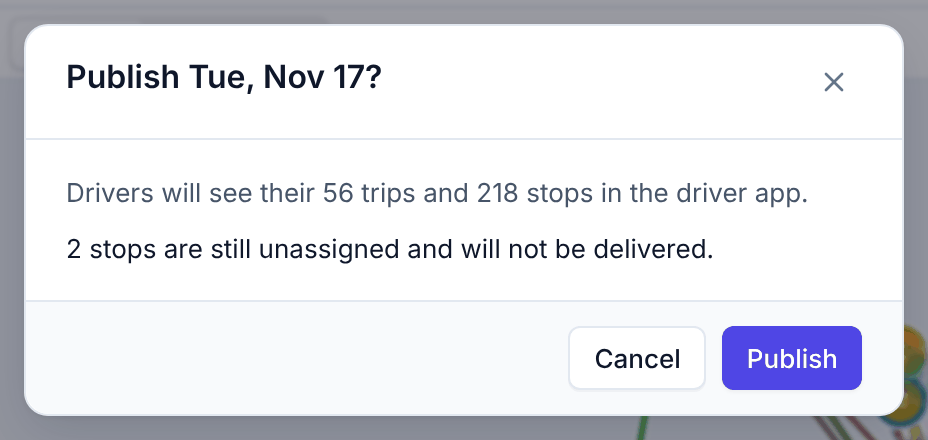
- Read the confirmation. It says how many trips and stops the drivers will see, whether assignments go to NetSuite, and warns about stops that are still unassigned (they will not be delivered) or planned late.
- Click Publish to confirm.
The status chip next to the date now says Published with the time. Drivers who open the driver app see their trips; a driver who already has it open gets them within seconds.
After publishing
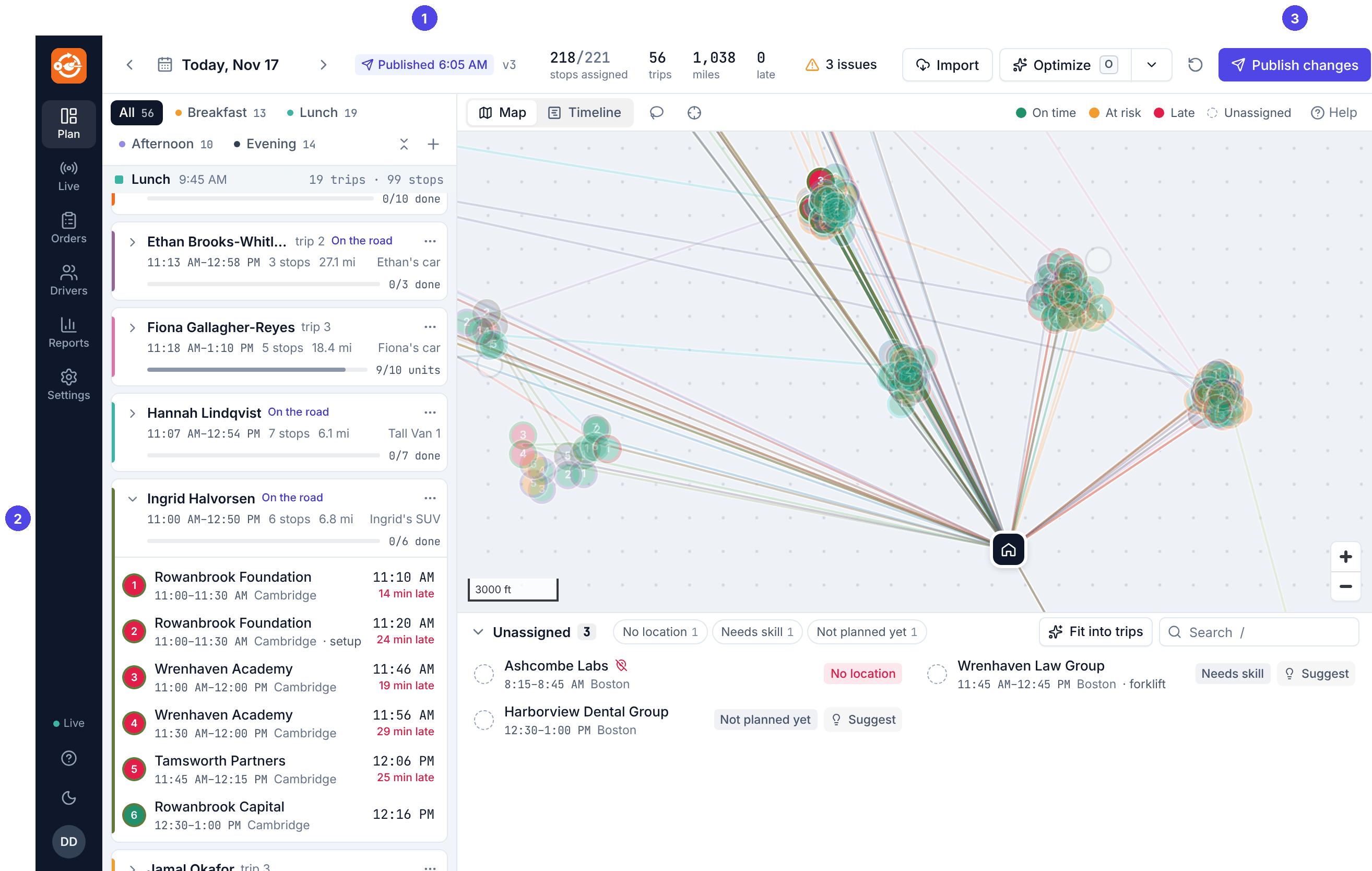
Every change you make to a published day reaches the drivers at once, and NetSuite is updated for the orders involved. You do not need to publish again after each change. A driver whose route changed sees a blue card on their phone, Route updated by dispatch, listing what changed (see the driver's side).
The Publish button then reads Publish changes. Pressing it shows the same confirmation and stamps a new publish time; it is a good way to check the totals and warnings again, but nothing waits for it.
To take a publication back
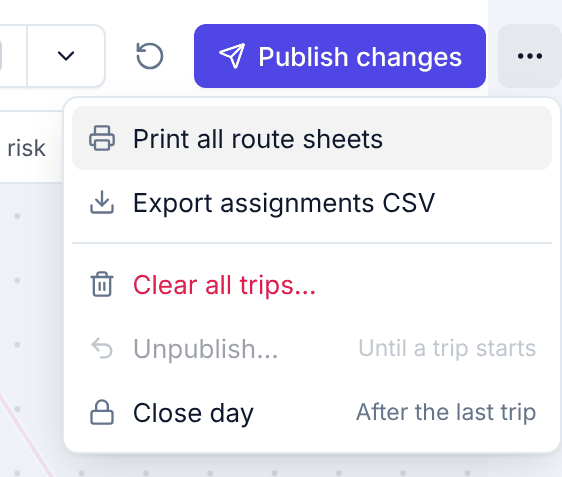
Open ⋯ at the right of the top bar and choose Unpublish…. The plan becomes a draft again and the trips disappear from the drivers' phones. When NetSuite is connected, assignments already written are cleared at the next write-back.
This is only possible until the first trip of the day starts. After that the menu item is greyed out (Until a trip starts). Undo never unpublishes.
Route sheets
Some drivers like paper; sometimes a phone dies. Every trip can be printed as a one-page sheet:
- one trip: the trip card's ⋯ → Print route sheet;
- the whole day: the top bar's ⋯ → Print all route sheets (one page per trip, sorted by driver).
The sheet opens in a new tab; click Print.
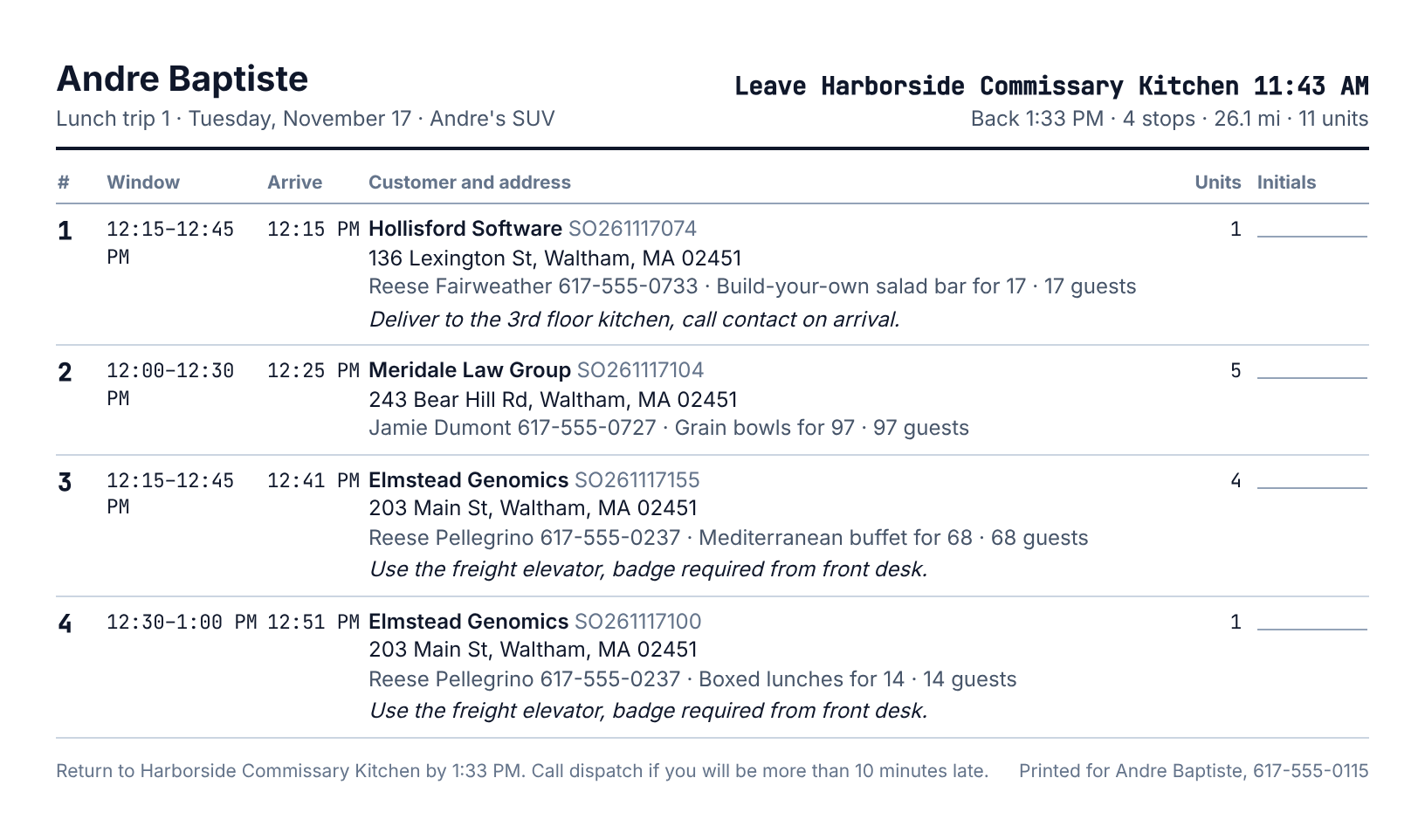
It lists the stops in order with the window, planned arrival, customer and address, contact, what to bring, guests, access notes, skills needed, units, and a space for the customer's initials, and ends with the time to be back at the kitchen.
Export
⋯ → Export assignments CSV downloads one row per routed order: order number, driver (and NetSuite employee ID), vehicle, wave, trip number, stop number, planned arrival and miles. These are the same fields the NetSuite write-back sends.
To close the day
When the last trip is back, ⋯ → Close day marks the plan Closed. A closed day can be looked at but not changed. Trips still open from an earlier day are closed automatically every night, and their unfinished stops marked not closed out, so they never block a new day.