
Planning defaults and live rules
Two pages of numbers that shape every plan and every alert. Only admins can change them; dispatchers can read them. After changing anything, click Save changes (or Discard).
Planning defaults
Settings → Planning defaults. Values used when an order does not say otherwise. Changes apply to the next Optimize; trips already built keep their times until they are re-planned.
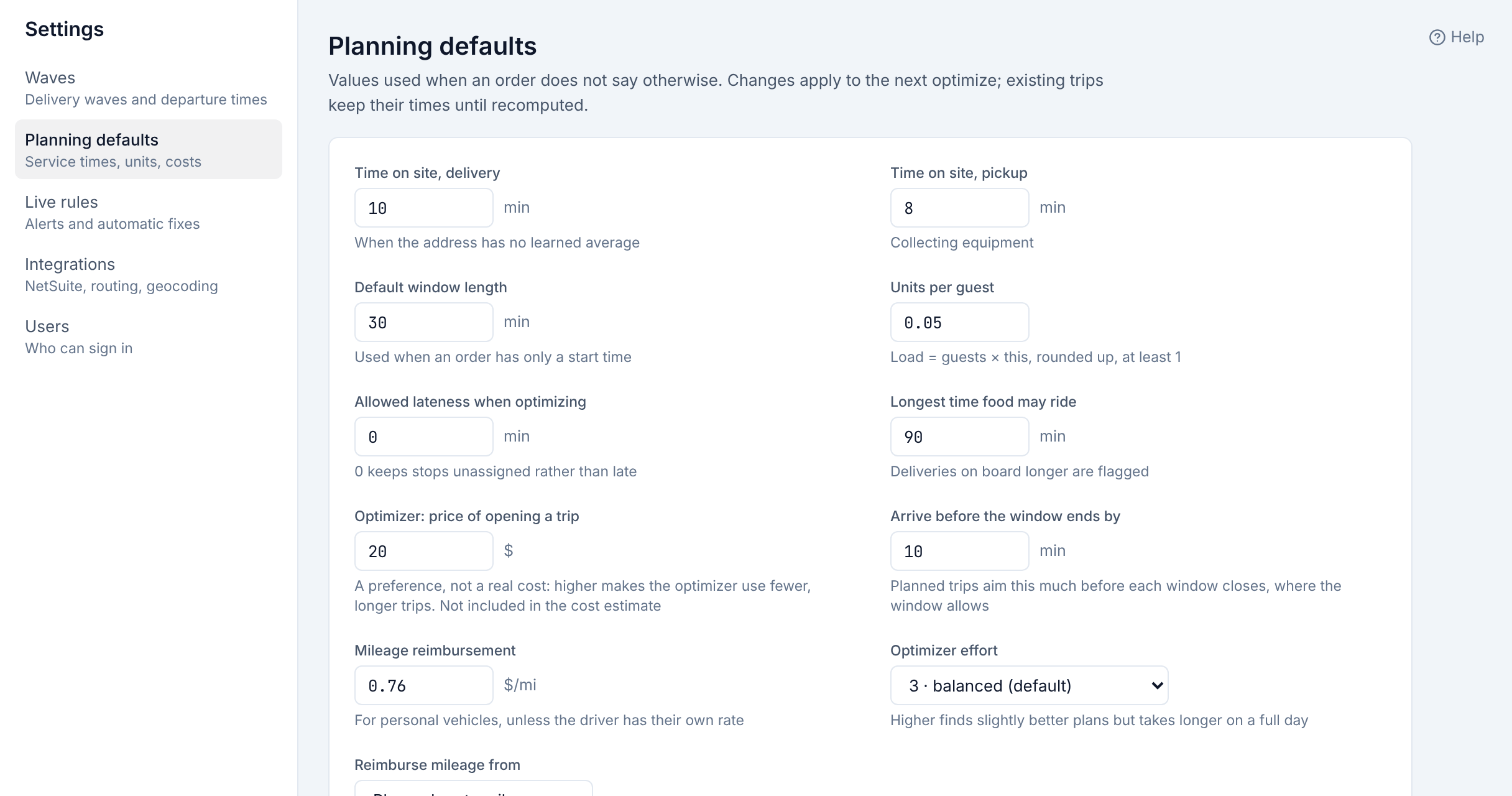
| Setting | Default | What it does |
|---|---|---|
| Time on site, delivery | 10 min | How long a delivery takes when the address has no learned average yet. |
| Time on site, pickup | 8 min | The same for collecting equipment. |
| Default window length | 30 min | Window length when an order gives only a start time. |
| Units per guest | 0.05 | When an order does not give units: load = guests × this, rounded up, at least 1. |
| Allowed lateness when optimizing | 0 min | How late Optimize may plan a stop rather than leave it unassigned. 0 means never late: unassigned instead. |
| Longest time food may ride | 90 min | A delivery on board longer than this is flagged Long ride. |
| Optimizer: price of opening a trip | $20 | A preference, not a real cost: higher makes Optimize use fewer, longer trips; lower, more and shorter ones. Not part of the cost estimate. |
| Arrive before the window ends by | 10 min | When a trip can be moved later to avoid waiting, it aims to arrive this long before each window closes, where the window allows. |
| Mileage reimbursement | $0.76/mi | Paid per mile in a personal vehicle, unless the driver has their own rate. |
| Optimizer effort | 3 · balanced | 1 is fastest; 5 searches longer for slightly better plans. A full day takes longer at 5. |
| Reimburse mileage from | Planned route miles | Or GPS miles, which needs the driver's phone (or tracking app) to report the whole trip. |
Live rules
Settings → Live rules. How Routisserie watches trips on the road. Automatic changes never touch the stop a driver is already heading to.
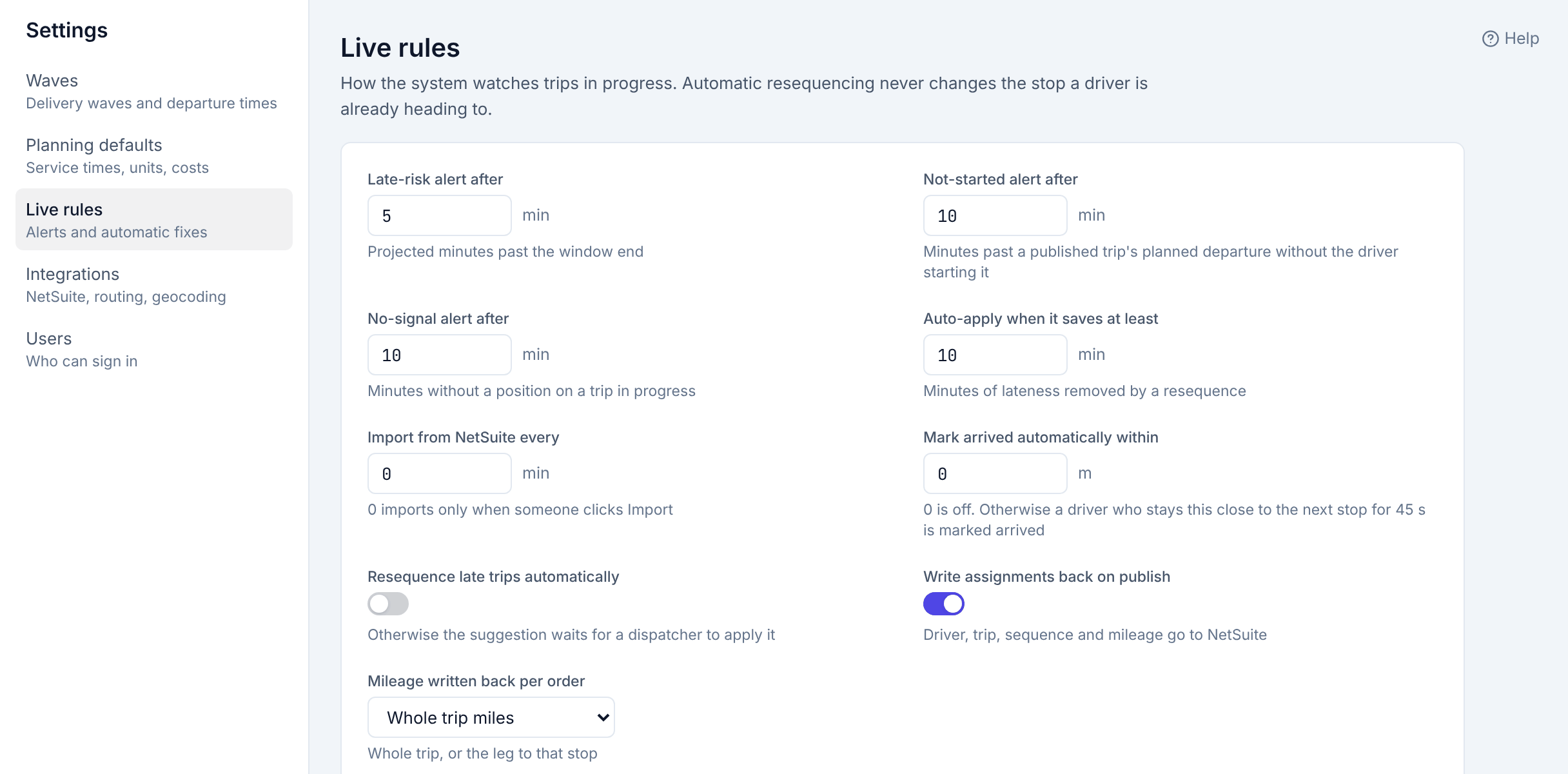
| Setting | Default | What it does |
|---|---|---|
| Late-risk alert after | 5 min | A Late risk alert is raised when a stop is projected this many minutes past its window end. |
| Not-started alert after | 10 min | A Not started alert when a published trip has not started this long after its planned departure. |
| No-signal alert after | 10 min | A No signal alert when a trip on the road sends no position for this long. |
| Resequence late trips automatically | Off | When on, Routisserie applies a reorder suggestion by itself (and logs it) instead of waiting for a dispatcher to click Apply. |
| Auto-apply when it saves at least | 10 min | With the switch above on, only reorders that remove at least this much lateness are applied automatically. |
| Import from NetSuite every | 0 min | 0 imports only when someone clicks Import. Otherwise NetSuite is checked this often. |
| Mark arrived automatically within | 0 m | 0 is off. Otherwise a driver who stays this close to the next stop for 45 seconds is marked arrived. |
| Write assignments back on publish | On | Driver, trip, sequence and mileage go to NetSuite after publishing. |
| Mileage written back per order | Whole trip miles | Or Leg miles: only the miles from the previous stop to this one. |
Settings that are not on these pages
Some things are set on the server by the server administrator, not here: the company name shown to customers, whether customer tracking links exist, the NetSuite connection, the reimbursement connection, the map, and how long old data is kept (positions 90 days, proof-of-delivery photos two years, and so on). See For the server administrator.